Quick Start Guide
Welcome to Qocent. This guide walks you through creating your account and accessing the platform for the first time.
- 1
Navigate to Sign-Up
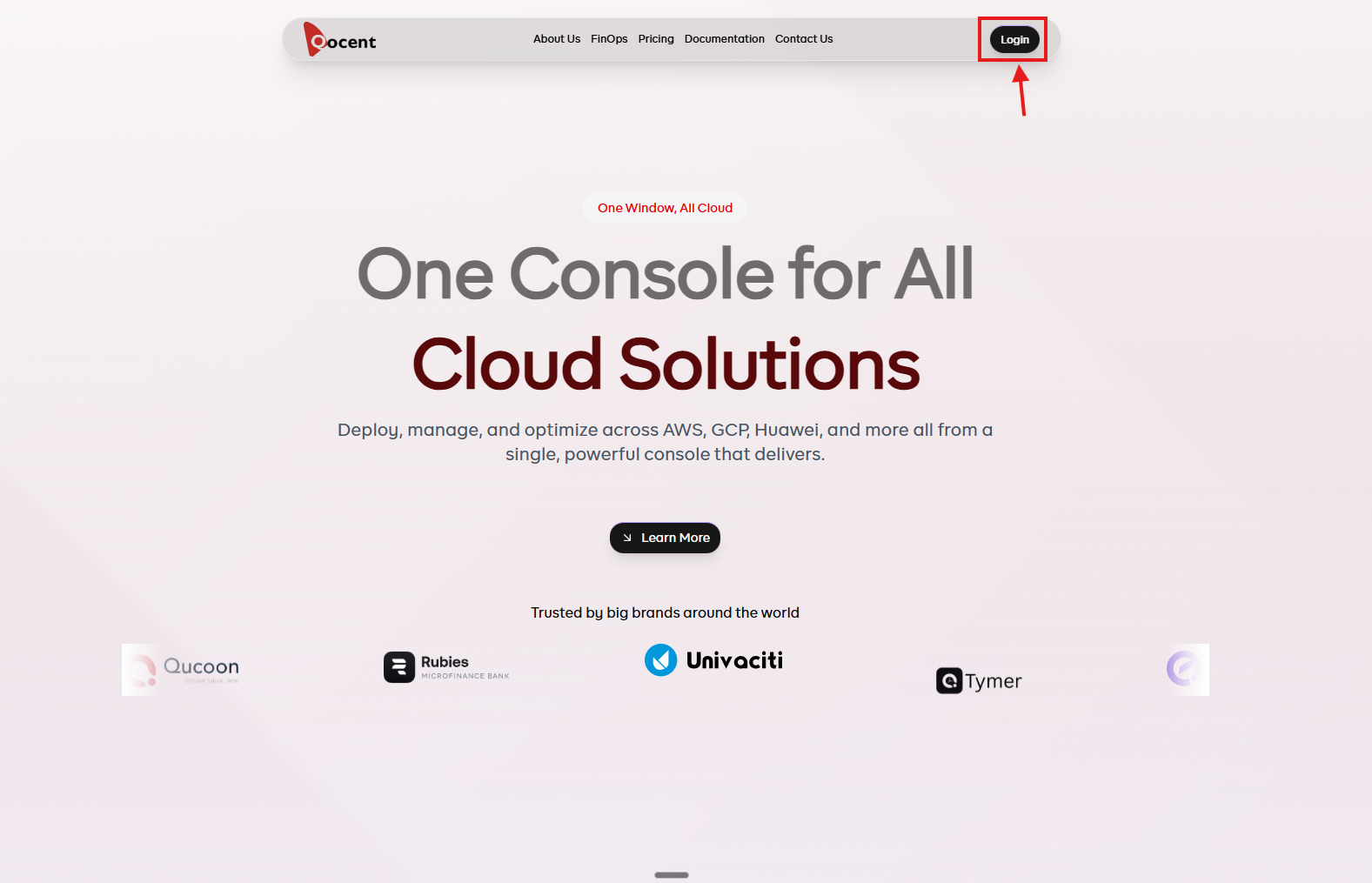
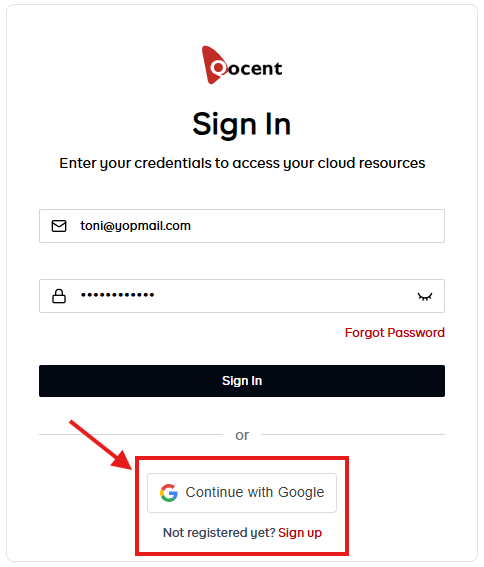
From the Qocent website, click the Login button on the homepage. On the login page, click Sign Up to access the registration form. A Continue with Google option is also available.
- 2
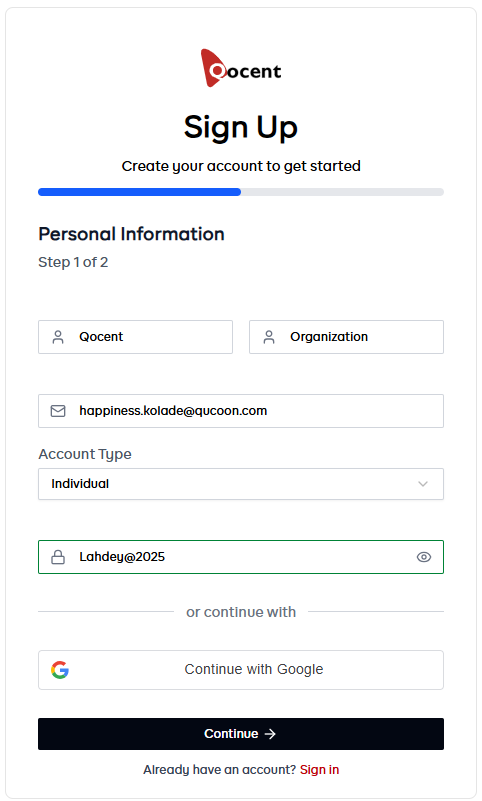
Provide Registration Details
Fill in your personal registration details in the form provided. Once all required fields are complete, click the Continue button to proceed.
- 3
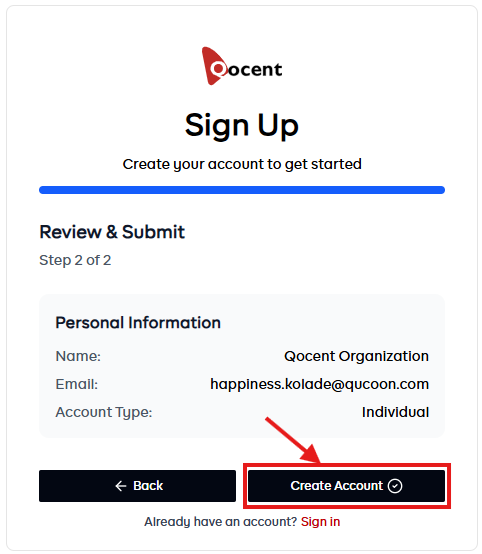
Review Your Information
Double-check that all your details are correct, then click the Create Account button to continue.
- 4
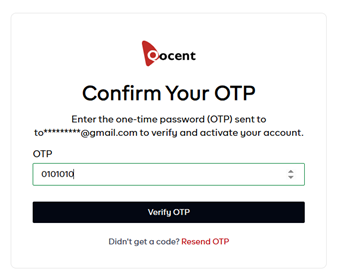
Verify Your Email Address
You will be directed to the OTP verification screen. Check your email for the verification code, enter it in the field provided, and click Verify OTP to complete verification.
- 5
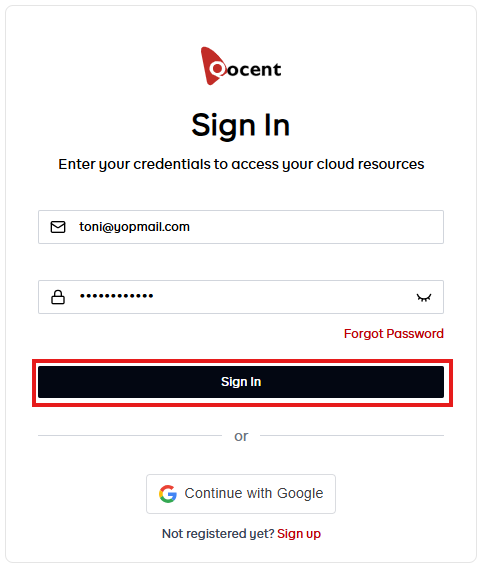
Sign In to Qocent
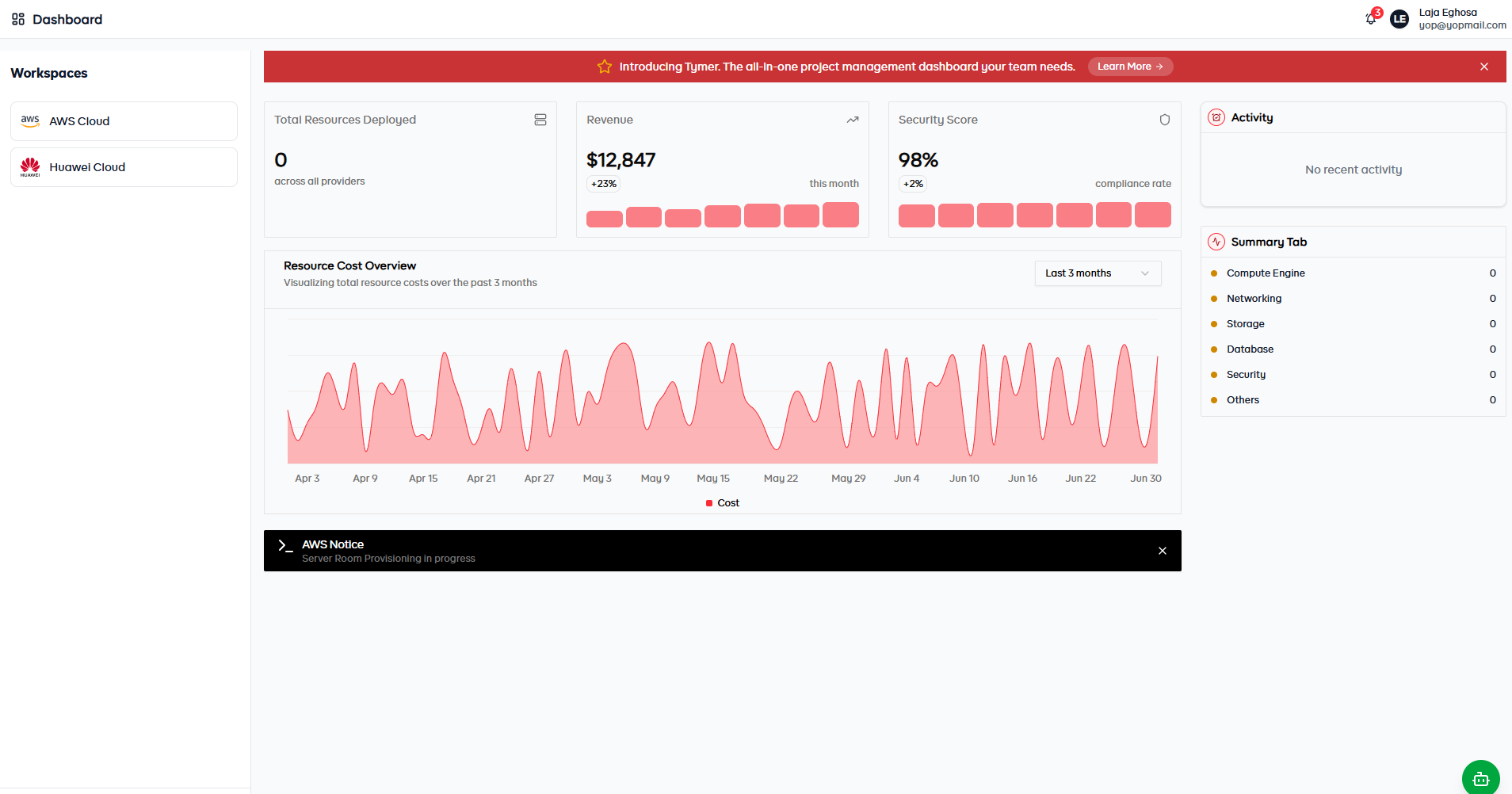
Once your email is verified, you will be redirected to the login page. Enter your email address and password to access your Qocent dashboard. You will now have full access to all platform features.