
Creating a Server Site
Follow these steps to create and deploy a Server Site within your chosen cloud provider workspace.
- 1
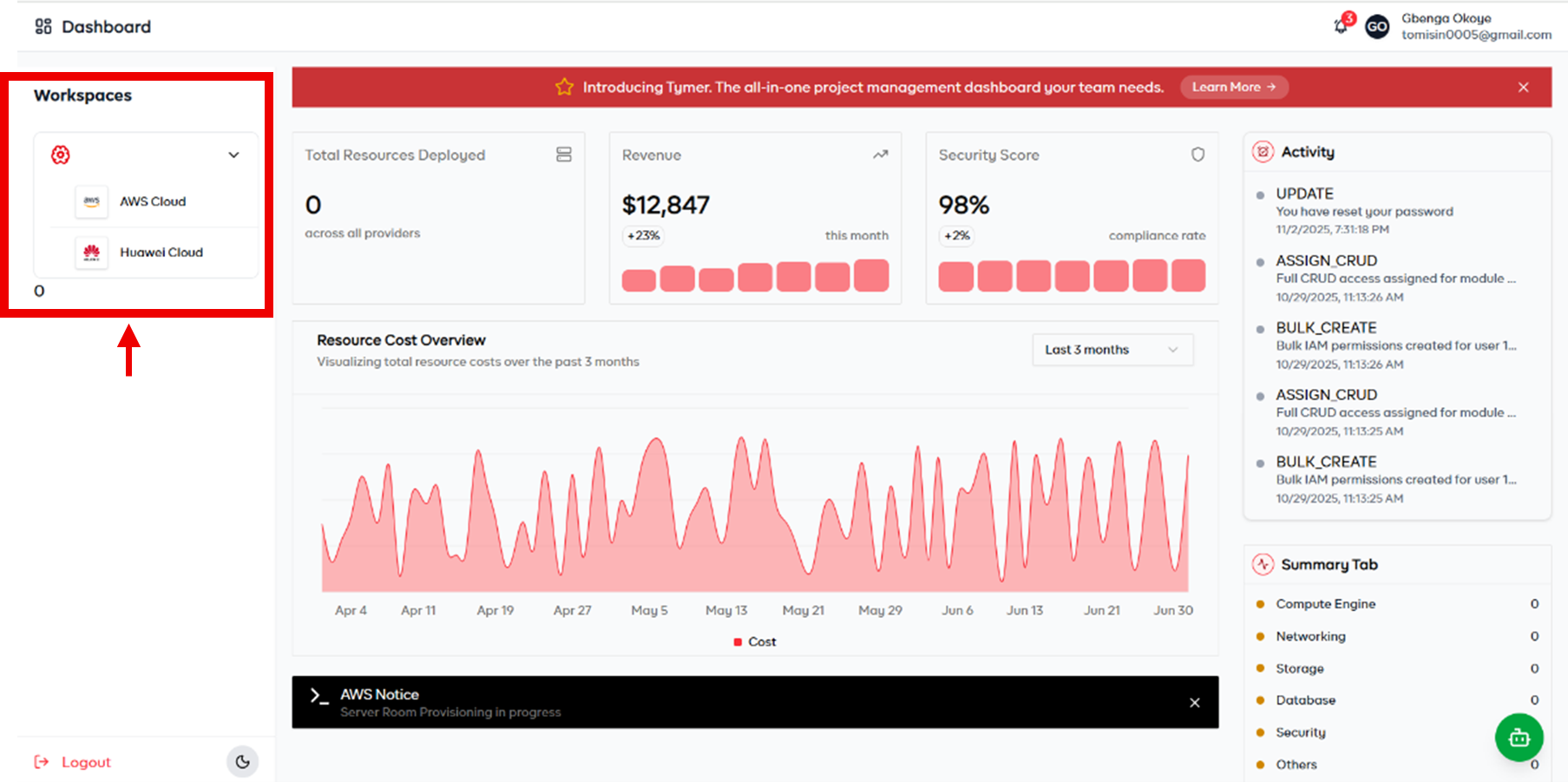
Select a HyperScaler
Navigate to the Workspaces section on your dashboard, then select the cloud provider you want to use.
- 2
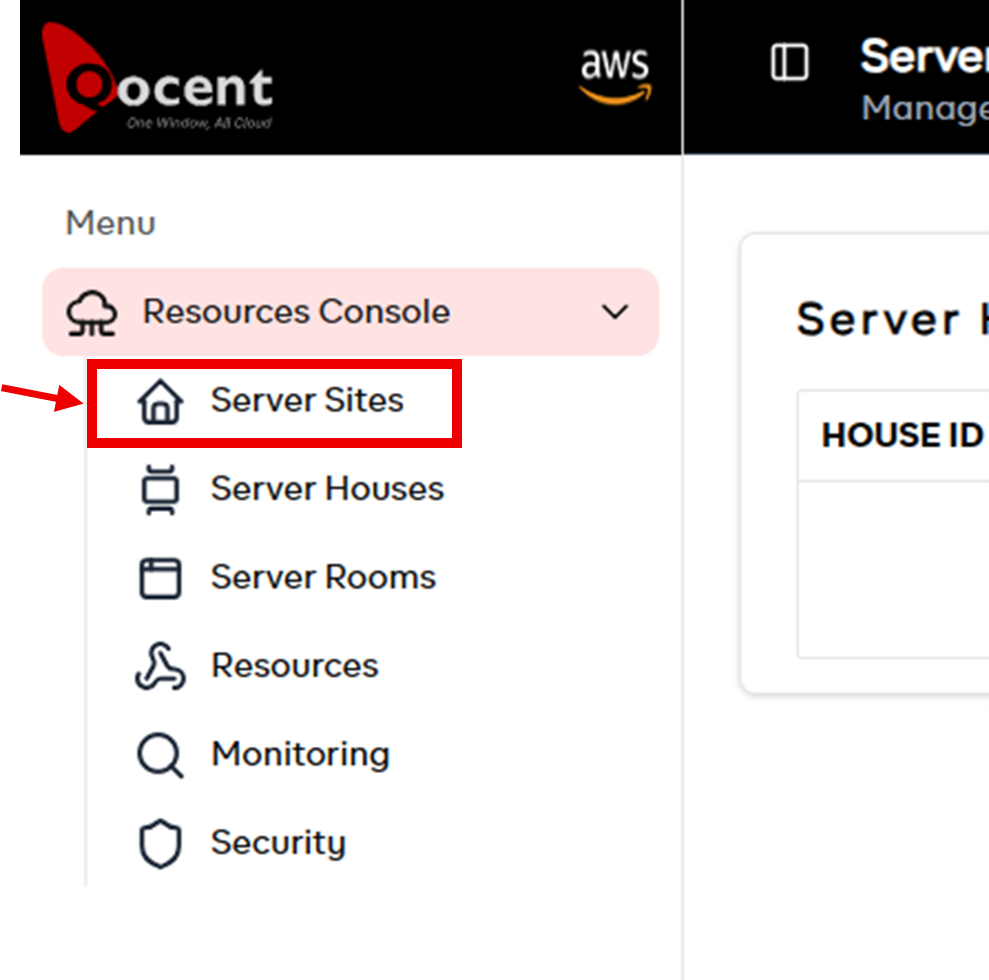
Navigate to Server Sites
Under the Resource Control dropdown, select Server Sites.
- 3
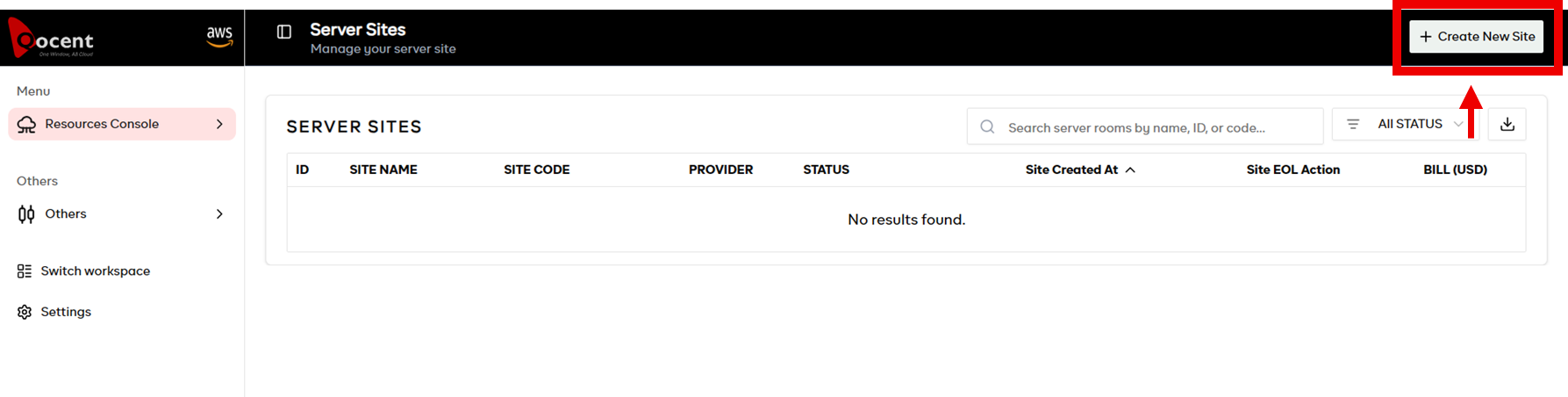
Select Create New Site
On the screen displayed, click the Create New Site button.
- 4
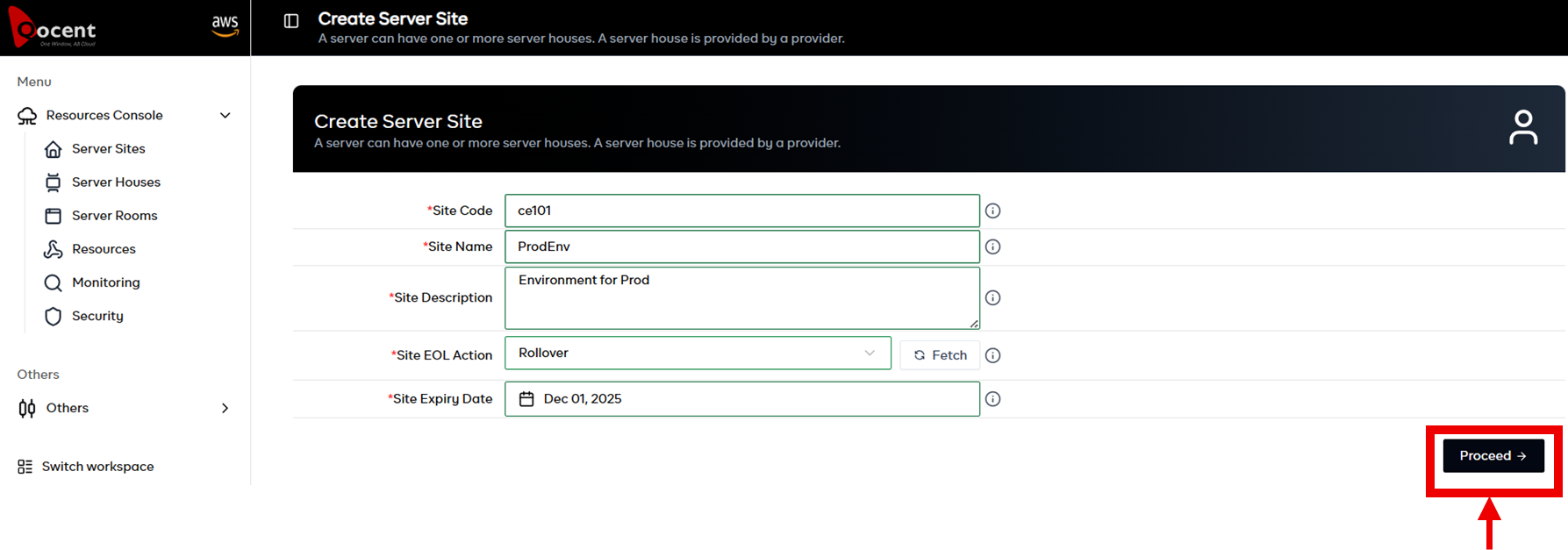
Provide Required Information
Fill in the configuration details for the Server Site you are creating, then click Proceed.
- 5
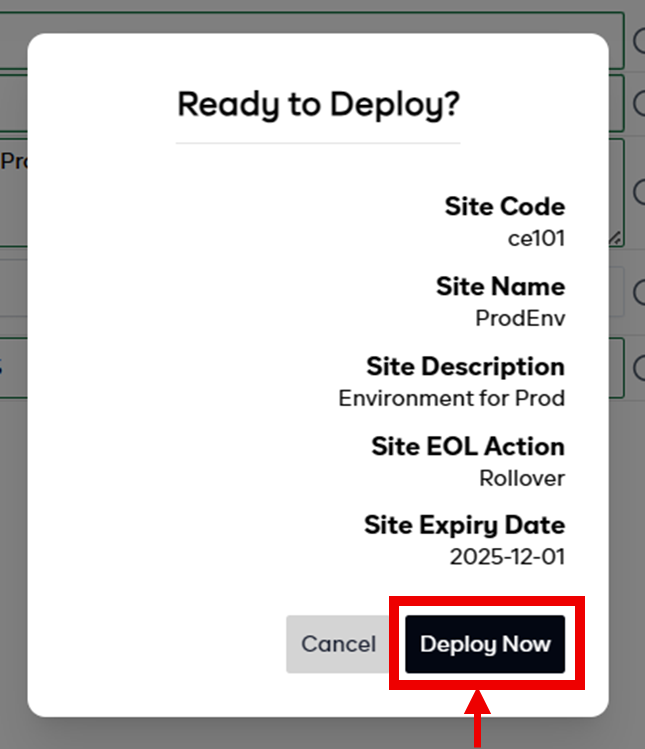
Review the Information
Confirm that all details are correct, then click the Deploy Now button.
- 6
Provisioning in Progress
Qocent will now provision your Server Site. This process typically takes a few minutes to complete.
